
Nexus 7 Honest Review
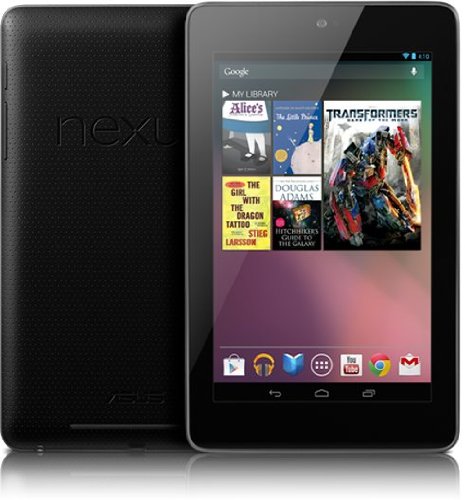
The nexus 7 is great!! I've only had it a couple of days, and I cannot recommend it enough.
Firstly, I'm a silver surfer, so not young. I already have an Android HTC Desire S phone, which makes the set-up familiar.
I bought the larger 16GB version, as there is no expansion SD card slot, for £199.99 from, sounds like, what you eat after the pub on a Friday night.
Come on Amazon, I know it competes with the Kindle, but let the punters choose, instead of having this overpriced offering.
I've been waiting for a few months for this Asus Google Nexus 7 tablet to come out, after reading lots of industry reviews and hoping the hype was true, and it is.
As someone else said, it's easier to set up if you already have a Google account. It imported all my contacts, emails, Chrome bookmarks and some of the Apps I had on the phone, Astro file manager and SkyEye, for you astronomers, Google Maps, Google Earth.
To look at the internet or movies or pictures in landscape mode:
Pull down the menu from the top with your finger and touch the circling arrows around a rectangle symbol.
Yes you can watch BBC iPlayer, using the Nexus 7
1. Using the Nexus 7 download the Firefox Beta Browser from Google Play.
2. From inside Firefox Beta using your Nexus 7 find, download and install both these files.
Adobe Flash Player 11.1_11.1.115.11.apk
BBC iPlayer_1.3.apk
The BBC are working on a less techie fix, but this works for now.
With the Nexus 7 you can surf the web, watch iPlayer even without Wi-Fi if you have a 3G Android phone.
On your Android phone Go To: All Apps select Wi-Fi Hot Spot and follow the instructions, password etc.
When it is set up, using your Nexus 7 tablet Go To: Settings, then Wi-Fi.
If you are using an HTC phone, look for HTC Portable Hotspot, it will say something similar if you have another make of phone.
Now you can have the internet on your Nexus 7 anywhere you have a phone signal. Brilliant.
I know I could look at the internet on the phone, but it makes the experience more comfortable.
If you have BBC iPlayer in your Chrome Bookmarks Bar on your computer, it will automatically sync into your Nexus 7 Bookmarks.
The screen rendering is so fast. I've transferred some of my movies and TV shows, that I had converted, from my phone and they work very well. My Bluetooth headphones registered immediately, no faffing like in Windows.
Being able to speak questions into it and getting 90% correct answers.
The Google translate app is fantastic. Say any phrase in English, then have it say it in the language of your choice, just like the Star Trek Universal Translator.
Battery life seems good, although I haven't had time to really push it yet.
I've just received a Black Carbon Fibre Print PropUp Stand Case Cover & G-HUB ProPen Stylus from Amazon, which turns the the Tablet Off and On when you open the cover. Just waiting for the screen protectors I ordered to arrive, because of my greasy fingers.
Built in mono speaker, but stereo head phone jack or Bluetooth. On first use, the music player is better than my phone, five slide graphic equalizer, bass boost & 3D effect.
With the MySMS app you can text from it as well as email.
I can see this becoming the new Filofax for the 20 tens.
Update 3 months on. Still think the Nexus 7 is great.
There was an Android Update this week and now the Home Screen spins as well, when you change from Portrait to Landscape mode, which it was criticised for not doing so before.
